Choosing commercial LED lighting is not just a matter of replacing old bulbs with brighter ones. A warehouse aisle, a small clinic, and a restaurant dining room each need different light levels, color, and control. Poor choices can create glare on screens, dim corners, or a space that feels cold and tiring. Small details matter.
This guide explores How to choose LED lighting for commercial spaces through ten practical considerations. It looks at room use, fixture layout, brightness, color temperature, color rendering, glare, energy use, controls, maintenance, and product quality. For example, a high ceiling may need carefully selected optics, while a meeting room may benefit from dimming and softer light. Check product specifications, compare warranties, and confirm that fixtures work with existing controls. When calculations or electrical changes are involved, advice from a qualified lighting professional can help prevent costly mismatches. Still, no checklist predicts every room perfectly. Paint colors, daylight, and the way staff use a space can change how lighting feels after installation. A sample fixture or on-site review may reveal issues that a product sheet cannot. The aim is not simply maximum brightness. It is comfortable, dependable light that suits the work and the people using the space.
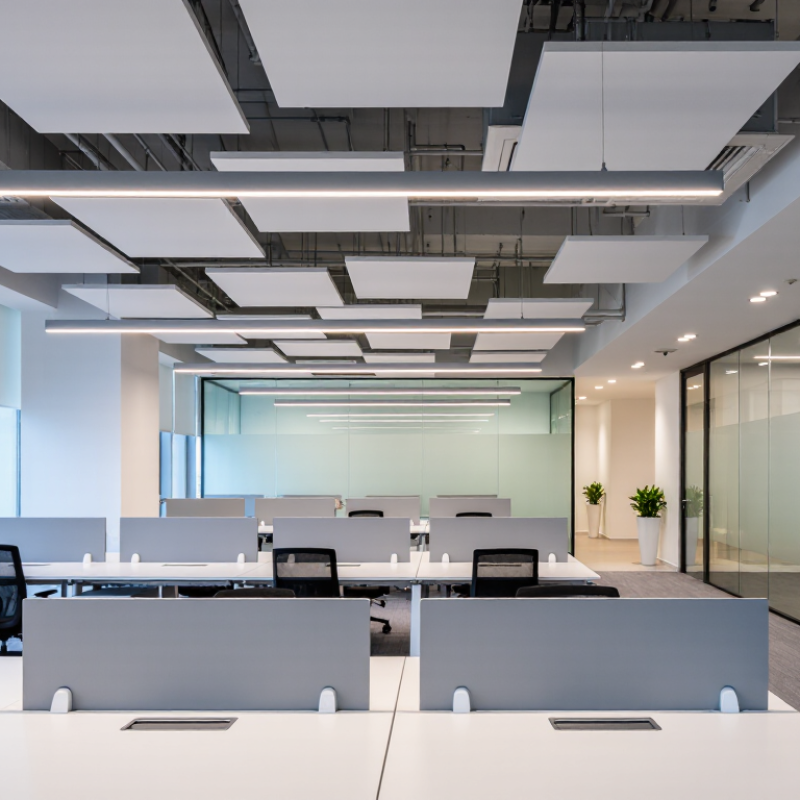
Set Office Task Lighting to 500 lx, as specified in EN 12464-1
For office writing, typing, reading, and data processing, EN 12464-1:2021 specifies 500 lx maintained illuminance on the task area. “Maintained” matters: the target should still be met as lamps age and surfaces collect dust. The standard also sets a UGR limit of 19 and a minimum colour rendering index, Ra, of 80 for these tasks. Check the luminaire’s photometric data, not just its wattage or advertised brightness.
Measure at desk height, where papers and keyboards actually sit. A handheld lux meter can reveal dark corners hidden by a room-wide average. Keep screens out of direct glare, and avoid sharp brightness differences between a bright desk and dim surroundings. Small details count. A glossy tabletop can reflect a ceiling panel into someone’s eyes. In practice, 500 lx alone does not guarantee comfort; monitor position, daylight, and personal preference also affect the result. Some layouts need adjustment after installation. That is not a failure. Recheck readings with blinds in typical positions, then reposition or dim fittings where needed.
Top 10 Ways to Choose LED Lighting for Commercial Spaces
Set office task lighting to 500 lx, as specified in EN 12464-1.
Selected maintained illuminance levels for office areas, in lux (lx). EN 12464-1 specifies 500 lx for writing, typing, reading and data processing tasks. Actual lighting designs should also account for factors such as uniformity, glare and the applicable standard edition.
Compare LED Lifetime and Energy Use: DOE Reports ≥75% Lower Use
For commercial spaces, compare energy use at equal light output, not by wattage alone. The U.S. Department of Energy reports that LEDs use at least 75% less energy and can last up to 25 times longer than incandescent lighting (DOE, “LED Lighting”). That benchmark is useful, but it is not a promise of equal savings against every existing fluorescent or high-intensity discharge system. Check each fixture’s lumens, input watts, and rated life before comparing.
A practical estimate is watts × annual operating hours ÷ 1,000. For example, replacing a 60-watt incandescent lamp with a 15-watt LED at the same operating schedule cuts that lamp’s electricity use by 75%. Small differences add up across a long corridor or a warehouse with high ceilings. Very quickly. DOE’s lifetime comparison also matters where lifts, labor, and closed work areas make relamping costly. Still, rated life is not the same as guaranteed service life; heat, frequent switching, and poor controls can shorten it.
Request product data showing tested lifetime and lumen maintenance, then compare it with your actual operating hours and utility rate. DOE’s guidance gives a strong baseline, but a site audit may reveal that controls or daylight already reduce consumption. That part is easy to overlook. In a busy loading area, for instance, occupancy sensors may change the savings more than a small difference in fixture wattage.
Specify Color Rendering of Ra ≥80 for Commercial Interiors (EN 12464-1)
For commercial interiors, specify a general color rendering index, Ra, of at least 80 where the applicable EN 12464-1 task requirements call for it. Ra indicates how faithfully a light source renders a set of test colors compared with a reference. It matters at reception desks, in meeting rooms, and near printed plans, where skin tones, fabric, and colored markings should remain easy to distinguish. Check the task area, not just the product label.
Ra is useful, but it is not the whole picture. Two luminaires with Ra 80 can still render saturated reds differently. Review the full technical data and, for color-critical work, request more detailed color-rendering information. A brief on-site mock-up can reveal shifts that a specification sheet cannot. Small test, big difference.
EN 12464-1 also addresses factors such as maintained illuminance, glare, and uniformity. A high Ra value cannot compensate for a dim counter or reflections across a glossy screen. Specify the required Ra alongside the lighting criteria for each space, and confirm the exact task category with the project’s lighting professional. I once treated Ra as a box to tick; that was too simplistic. The standard’s task tables and the actual materials in a room deserve a closer look.
Limit Office Glare to UGR ≤19, as specified in EN 12464-1
Office glare can make a bright workspace feel tiring. EN 12464-1:2021 specifies a UGR limit of 19 for common office tasks, including reading, writing, and data processing. The same standard lists 500 lux maintained illuminance for these tasks. Treat these values as design criteria, not proof that every desk will feel comfortable.
Numbers need context. CIE 117:1995 sets out the Unified Glare Rating method, which considers room geometry, surface reflectance, luminaire placement, and the observer’s position. A fixture’s advertised UGR value alone cannot confirm performance in a specific office. Request calculations for the actual room layout, then check likely seated views, including screens near windows and desks beneath fittings. A mock-up can expose reflections that drawings miss. Keep the room finishes realistic; darker ceilings or changed desk positions can affect the result. If calculations show UGR above 19, adjust spacing, optics, or mounting positions, then reassess. EN 12464-1 and CIE 117 provide the technical benchmarks. Real rooms still deserve a human check.
Verify Dimming and Occupancy Controls Match the Space’s Lighting Needs
Before selecting LED fixtures, map how each area is used. A conference room may need bright, even light for detailed work, then lower output for presentations. Check that the fixture driver and control system support the same dimming method. Otherwise, lights may flicker, shut off abruptly, or refuse to dim smoothly. Test the actual combination, not just the product specifications.
Occupancy controls need equal care. In a small office, a ceiling sensor may detect movement reliably; in a long corridor, one sensor might leave dark pockets. Consider mounting height, obstructions, and how still people remain at desks. Set a practical timeout and verify that lights do not switch off while someone is reading or working quietly. Worth checking. A brief walk-through will not reveal every problem, so observe the space during normal use.
Daylight sensors can reduce output near windows, but poor placement may make interior desks too dim. Set separate control zones where daylight and occupancy patterns differ. Ask the installer to demonstrate dimming from full output to the lowest usable level, then test scenes and sensor response with staff present. Keep notes on complaints and adjustments for the first few weeks. The first settings may be wrong. That is useful feedback, not a reason to ignore controls.
Conclusion
How to choose LED lighting for commercial spaces starts with matching light levels to the work being done. For office task areas, target 500 lx in line with EN 12464-1, and choose fixtures with a color rendering index of Ra 80 or higher so colors appear clear and consistent. Glare also affects comfort and concentration, so check that office lighting meets a unified glare rating of UGR 19 or lower.
Compare both energy use and expected lifetime when evaluating options. LED lighting can use at least 75% less energy than incandescent lighting, according to DOE reports, and a longer service life may reduce replacement needs. Finally, make sure dimming and occupancy controls suit each space: settings should support different activities, while sensors should respond appropriately to how rooms are used. These steps help create a comfortable, efficient lighting plan that fits a commercial space’s practical needs.

 Senning Lights