How to Extend the Service Life of Stage Lighting Controllers

Time:2026-11-08 Author:Henry
0%

How to extend the service life of stage lighting controllers starts with a simple idea: protect the conditions around the equipment, not just the equipment itself. Dust settles in ventilation slots. Warm air gathers inside crowded racks. A loose data connector can interrupt a cue during a quiet scene change. Small issues often grow unnoticed. Regular care helps prevent that.

Show-control author John Huntington writes about the systems that connect people, consoles, and stage equipment. A practical principle inspired by that systems-first perspective is: “A controller lasts longer when its environment and signal path are maintained together.” This is an editorial paraphrase, not a direct quotation. The distinction matters; technical advice should be traceable and honestly presented.

This guide focuses on habits crews can use between shows. Keep airflow clear, and check that fans are turning without unusual noise. Use a soft, dry cloth on exterior surfaces; avoid spraying cleaner into openings. Inspect power and data cables for crushed sections, bent pins, and strained connectors. Label connections before changing a setup. Keep firmware and configuration backups, but test updates away from a critical performance whenever possible. Record recurring faults, temperatures, and service dates. These notes can reveal a pattern that memory misses. Not every failure is preventable. Still, careful handling, sensible storage, and qualified servicing can reduce avoidable wear. The details are modest. Their effect can be substantial.
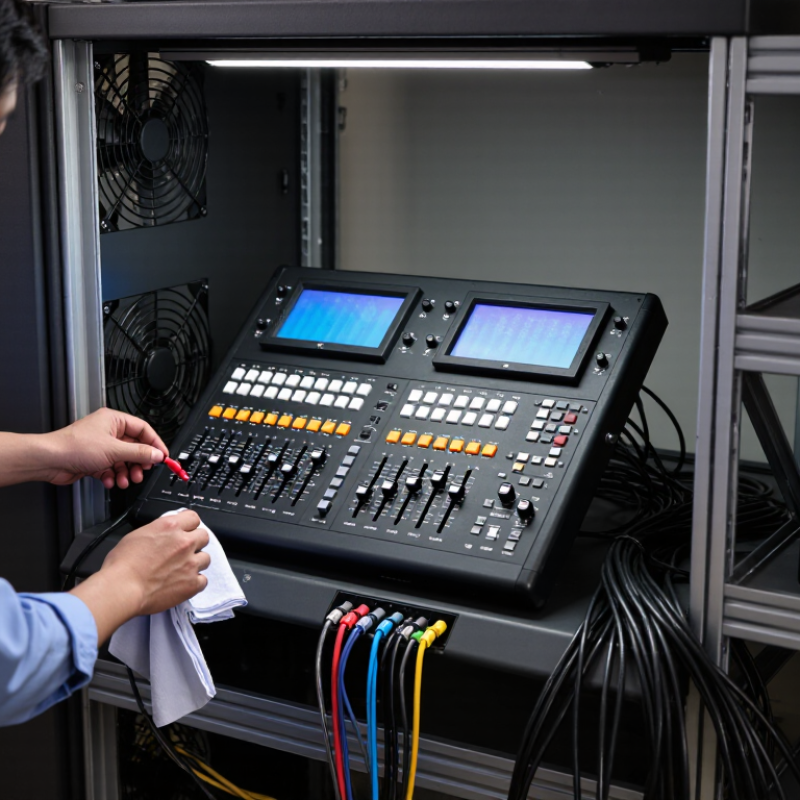
How to Extend the Service Life of Stage Lighting Controllers

Understand the Factors That Affect Controller Service Life

Understand the Factors That Affect Controller Service Life

A stage lighting controller’s lifespan depends on heat, electrical stress, dust, and handling—not just hours switched on. The U.S. Department of Energy’s 2011 report, LED Luminaire Lifetime: Recommendations for Testing and Reporting, identifies driver components, including electrolytic capacitors, as potential limits on system life. A common reliability estimate suggests that lowering a capacitor’s operating temperature by 10°C can roughly double its expected life. It is an estimate, not a guarantee. A controller in a sealed rack may run hotter than one in a ventilated booth, even when both feel cool outside.

Check the air around the unit, not only its case. Dust-packed vents, blocked fans, and warm neighboring equipment can trap heat; repeated power surges and unstable voltage add electrical stress. IEC 61709:2017 treats temperature and operating stress as factors in component reliability prediction, reinforcing why installation conditions matter. Humidity and drink spills can also corrode connectors, while rough cable removal may loosen sockets over time. Small details count. Keep vents clear, use properly rated power distribution, and inspect connectors during routine maintenance. A thermometer near the rack can reveal a problem that touch misses. I would not assume a clean front panel means a healthy controller; that shortcut is easy to make.

Provide Stable Power and Adequate Ventilation

How to Extend the Service Life of Stage Lighting Controllers

Provide Stable Power and Adequate Ventilation

A stage lighting controller can overheat even when the room feels comfortable. Keep its air intake and exhaust clear, and leave space around the chassis instead of pressing it against a case wall. Heat needs an exit. Dusty filters and bundled cables can quietly restrict airflow, so inspect them during routine setup. ASHRAE’s 2021 Thermal Guidelines recommend 18–27°C inlet air for common air-cooled data-center equipment. That range is a useful comparison, not a controller specification; follow the controller manufacturer’s limits.

Power quality matters too. Use a properly rated circuit, sound grounding, and cables suited to the load. Avoid sharing a circuit with equipment that produces heavy switching loads when possible. IEC 61000-4-11 sets test methods for voltage dips and short interruptions in electrical equipment. It is not a guarantee that every controller will withstand every disturbance. Check the unit’s stated input range, and have a qualified technician investigate recurring resets or flickering displays.

Small details matter. During a long show, feel for unusually warm vents and check that nearby cases have not shifted into the airflow path. A compatible UPS may help with brief interruptions, but an unsuitable unit can create its own problems. I would not assume a cool rack front means the internal airflow is fine; inspect the rear, too. Regular checks are easy to postpone, and that is often where the routine slips.

How to Extend the Service Life of Stage Lighting Controllers - Provide Stable Power and Adequate Ventilation
Maintenance Dimension Recommended Practice Suggested Check Why It Matters
Power supply Use a supply that matches the controller’s rated voltage and frequency. Avoid overloaded outlets and damaged power cables. Before each use; inspect cables regularly. Incorrect or unstable power can cause faults and may damage electronic components.
Surge protection Use suitable surge protection where power disturbances are a concern, and follow the controller’s electrical requirements. Check the protection device according to its instructions. Surge protection can help reduce the risk of damage from voltage spikes.
Uninterruptible power For critical setups, consider a properly rated UPS that is compatible with the controller and the connected equipment. Test the UPS and review its battery condition on the schedule specified by its manufacturer. A UPS can provide temporary backup and help prevent abrupt shutdowns during power interruptions.
Ventilation clearance Keep air vents unobstructed and leave the clearance specified in the controller’s operating instructions. Before operation and whenever the equipment is repositioned. Unrestricted airflow helps prevent heat buildup around electronic components.
Operating temperature Use the controller within the ambient temperature range stated in its documentation. Keep it away from heaters and direct sunlight. Check the setup location before each event. Excessive heat can shorten component life and may cause unreliable operation.
Dust and airflow paths Keep the enclosure and vents clean. Remove dust with a method approved for the equipment; do not allow moisture into the unit. Inspect regularly, especially in dusty venues. Dust accumulation can restrict airflow and contribute to overheating.
Rack and case setup Do not pack the controller tightly against other heat-producing equipment. Arrange cables so they do not block vents. Check airflow after installing or rearranging equipment. Good spacing and cable routing help maintain effective cooling.
Storage and transport Power down before disconnecting, protect the controller from impacts, and store it in a clean, dry place. After each event or transport. Careful handling reduces physical damage and exposure to moisture or debris.

Clean the Controller and Inspect Its Connections

Before cleaning a stage lighting controller, disconnect its power and let it cool. Use a dry, lint-free cloth on the case, then a soft brush around faders, buttons, and ventilation slots. Dust often collects along fader tracks and can make controls feel rough. Avoid spraying liquid directly onto the unit; moisture can reach internal contacts. Small details matter. I used to focus on the visible dust and overlook the vents, which were often dirtier.

Inspect connections under good light. Look for bent pins, cracked cable jackets, loose sockets, or discoloration around plugs. Seat each connector gently, and never force it. Do not pull a cable out by its wire; hold the plug instead. If a connection feels loose or the controller cuts out when a cable moves, mark it for repair rather than repeatedly wiggling it during a show. Keep a simple log of cleaning dates and recurring faults. This makes gradual changes easier to spot. If inspection requires opening the enclosure, follow the service instructions or ask a qualified technician. A quick wipe helps, but it is not a substitute for careful checks.

Operate and Store the Controller Within Its Limits

Operate the controller within its stated temperature, humidity, voltage, and output limits. ASHRAE’s 2021 Thermal Guidelines recommend 18–27°C for certain data-center equipment; this is a useful environmental reference, not a rating for stage controllers. Follow the controller’s own specifications. Keep vents clear, leave space around the case, and avoid placing it beside hot dimmers or under a dripping air-conditioning unit. Heat and moisture are quiet stressors. So is dust.

Respect signal and electrical limits rather than adding adapters or loads without checking compatibility. ANSI E1.11 defines DMX512 data transmission with up to 512 data slots per packet; that figure does not guarantee every controller can drive every connected device. Check its manual and cable requirements. Before storage, power down, disconnect cables by their connectors, and let the unit cool. Store it dry, away from direct sun, and in a padded case that does not press on knobs or faders. A routine can still be imperfect: people often pack gear while it is warm. Waiting a few minutes is a small, worthwhile correction.

Test, Update, and Repair the Controller Regularly

Routine checks can reveal small faults before a show depends on the controller. Power down before cleaning or inspecting it, and follow the equipment’s service instructions. Look for loose sockets, dust around vents, damaged cables, and faders that feel gritty or jump between levels. Then test each control and output with a known-good cable and a simple lighting setup. Power down first. Record any flicker, delayed response, or intermittent signal; these clues help a technician trace the fault.

Keep firmware and show files current, but update with care. Confirm that the update is intended for the exact controller model, save a backup of cues and settings, and use a stable power source. After installation, test familiar scenes and check every output again. A newer version is not automatically better for every venue. If timing changes or a saved cue behaves differently, pause and investigate rather than assuming the update worked.

Repair problems early. A warm casing, recurring resets, or a connector that only works at a certain angle deserves prompt attention from a qualified technician. Don’t open the unit unless the service documentation permits it and you have the required training. Keep a dated log of tests, updates, and repairs. Logs can be imperfect; even a note like “output 3 flickered during rehearsal” is more useful than relying on memory.

FAQS

Why can a controller overheat in a cool room?

Blocked vents or bundled cables can restrict airflow. Keep the intake and exhaust clear, and leave space around the case. Heat needs an exit.

What power precautions help prevent resets?

Use a properly rated circuit, sound grounding, and cables suited to the load. Check the controller’s input range. Recurring resets need a qualified technician.

Can a UPS prevent every power problem?

No. A compatible UPS may help during brief interruptions, but an unsuitable unit can cause problems. Check compatibility before using one.

How should I clean the controller?

Disconnect power and let it cool. Wipe the case with a dry, lint-free cloth, then brush dust from faders and vents. Avoid spraying liquid.

What connection problems should I look for?

Check for bent pins, cracked cable jackets, loose sockets, or discolored plugs. Hold the connector when unplugging it; never pull the cable.

Which operating limits should I follow?

Use the controller’s stated temperature, humidity, voltage, and output limits. Keep it away from hot equipment and dripping air conditioners.

Does a 512-slot data packet mean a controller supports every connected device?

No. That figure describes DMX512 data transmission, not a controller’s full capabilities. Check its manual and cable requirements.

How should I store the controller after a show?

Power it down, disconnect cables by their connectors, and let it cool. Store it dry, out of direct sun, in a padded case.

What simple routine helps spot gradual problems?

Record cleaning dates and recurring faults. Check warm vents and shifted cases during setup. It is easy to rush. I still might.

Conclusion

How to extend the service life of stage lighting controllers begins with understanding what affects their performance, including heat, dust, unstable power, heavy use, and poor storage. Connect the controller to a stable power supply and keep its ventilation openings clear so heat can escape. Regularly remove dust with suitable care, and inspect cables, ports, and other connections for looseness or wear before they cause interruptions.

Use the controller within its recommended operating limits, avoid exposing it to excessive heat or moisture, and store it in a clean, dry place when not in use. Routine testing can help reveal unusual behavior early, while keeping firmware up to date may improve reliability and compatibility. If a fault appears, address it promptly and arrange appropriate repairs rather than continuing to operate a damaged unit. These simple habits can reduce preventable wear, support dependable performance, and help the controller remain useful for longer.

Henry

Henry

Henry is a dedicated marketing professional with a profound expertise in the company's offerings. With years of experience in the industry, he possesses an impressive understanding of the market dynamics and consumer behaviors that drive success. Henry is committed to sharing his insights through......