In the world of stage performance, intelligent lighting plays a pivotal role. Expert lighting designer, James Blanchard, emphasizes, "A well-maintained lighting system can outshine any temporary flaw." Understanding how to maintain intelligent stage lighting for long-term use is crucial for ensuring vibrant performances.
Regular maintenance checks prevent common issues. Dust and debris can accumulate, leading to dim lights and malfunctioning fixtures. It's essential to have a cleaning schedule. Utilizing the right cleaning products makes a difference. Professional advice often recommends using non-abrasive materials to avoid damage.
Storing lights correctly is another key factor. Harsh environments can harm equipment. Reflections on stage might seem bright, but poorly maintained fixtures can dull the impact. Regular assessments ensure longevity. Reflecting periodically on your maintenance process can reveal gaps that need addressing. Establishing routines creates reliability in your lighting system, ensuring that your performance always shines bright.
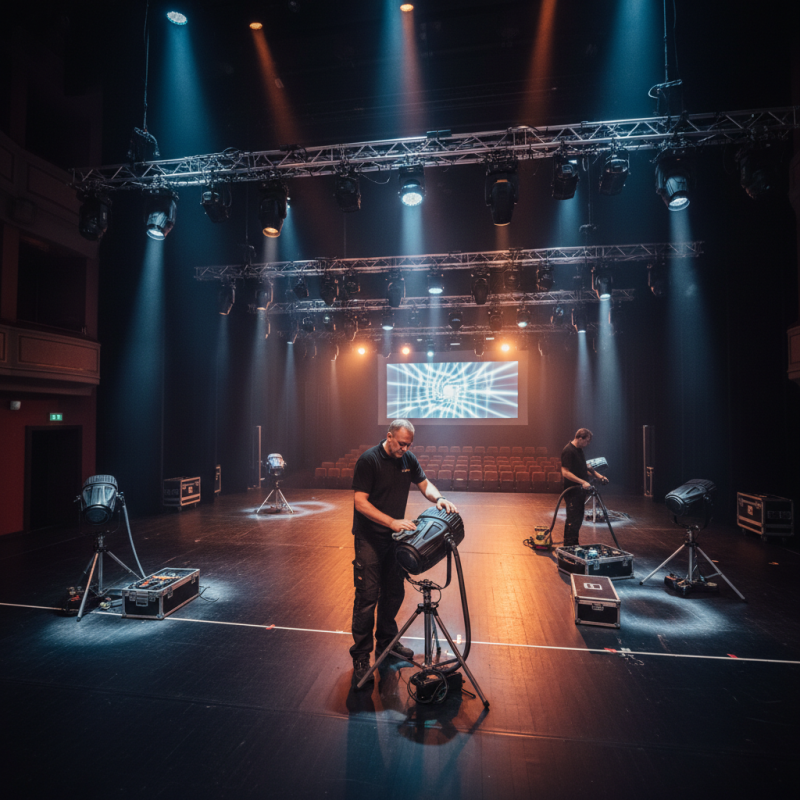
Intelligent stage lighting takes live performances to the next level. Understanding the individual components can aid in their longevity and performance. Key elements include fixtures, control systems, and power supplies. Each component plays a crucial role in overall functionality.
When maintaining lighting systems, always check for dust accumulation. Dust can interfere with the performance of lighting fixtures. Regular cleaning extends their lifespan. Use a soft brush for delicate lenses and ensure power cords are not frayed. Inspect connections to avoid short circuits.
Control systems require occasional software updates. This will enhance functionality and fix bugs. Keep a record of updates for reference. It is vital to monitor the operation of dimmers and other controls regularly. Sometimes, they may not respond as expected. A proactive approach can prevent unexpected failures during performances.
| Component | Function | Maintenance Tips | Expected Lifespan |
|---|---|---|---|
| LED Bulb | Illumination source for color-changing and effects | Regular cleaning and avoiding overheating | 25,000 - 50,000 hours |
| Optics | Control light direction and focus | Check for dust accumulation and clean with lens cleaner | Indefinite if maintained properly |
| DMX Controller | Controls lighting effects and synchronization | Keep firmware updated and handle with care | 5 - 10 years |
| Housing | Protects internal components | Regular inspection for cracks and weather damage | 10 years or more |
| Cooling System | Prevents overheating of components | Ensure ventilation openings are clear and functioning | 5 - 10 years |
: Flickering lights often result from faulty bulbs or poor connections. Checking wiring and replacing damaged parts can help.
Unresponsive lights may indicate software glitches. Rebooting the control system or updating software may resolve these issues.
Regular maintenance can prevent issues like flickering and burnt-out fixtures. Inspect setups regularly to avoid future problems.
Overloading circuits can damage fixtures. Use surge protectors and regularly check your power supply to prevent accidents.
Always back up existing settings before updating. Skipping this step may lead to frustrations if you lose customized configurations.
Test all lights and functionalities after an update. Check the user manual for help if issues arise post-update.
Documenting recurring problems can expedite troubleshooting. Reflect on possible causes and solutions to improve your approach.
Engaging with online communities can provide valuable insights and support. Others may have faced similar issues and found solutions.
Maintaining intelligent stage lighting for long-term use is essential for ensuring consistent performance and reliability in various settings. To effectively manage these lighting systems, it is crucial to understand their components, which can greatly influence maintenance procedures. Regular cleaning and scheduled maintenance are key to preventing dust buildup and addressing wear and tear, which can lead to performance issues.
Additionally, troubleshooting common problems can save time and resources, allowing for quick resolutions to any operational glitches. Upgrading firmware and software is vital for optimal performance, as it ensures the system remains aligned with technological advancements. Lastly, adhering to best practices for storage and handling of equipment will prolong the lifespan of the lighting fixtures. By following these guidelines, users can successfully navigate how to maintain intelligent stage lighting for long-term use and enhance their overall experience in stage production.

 Senning Lights